
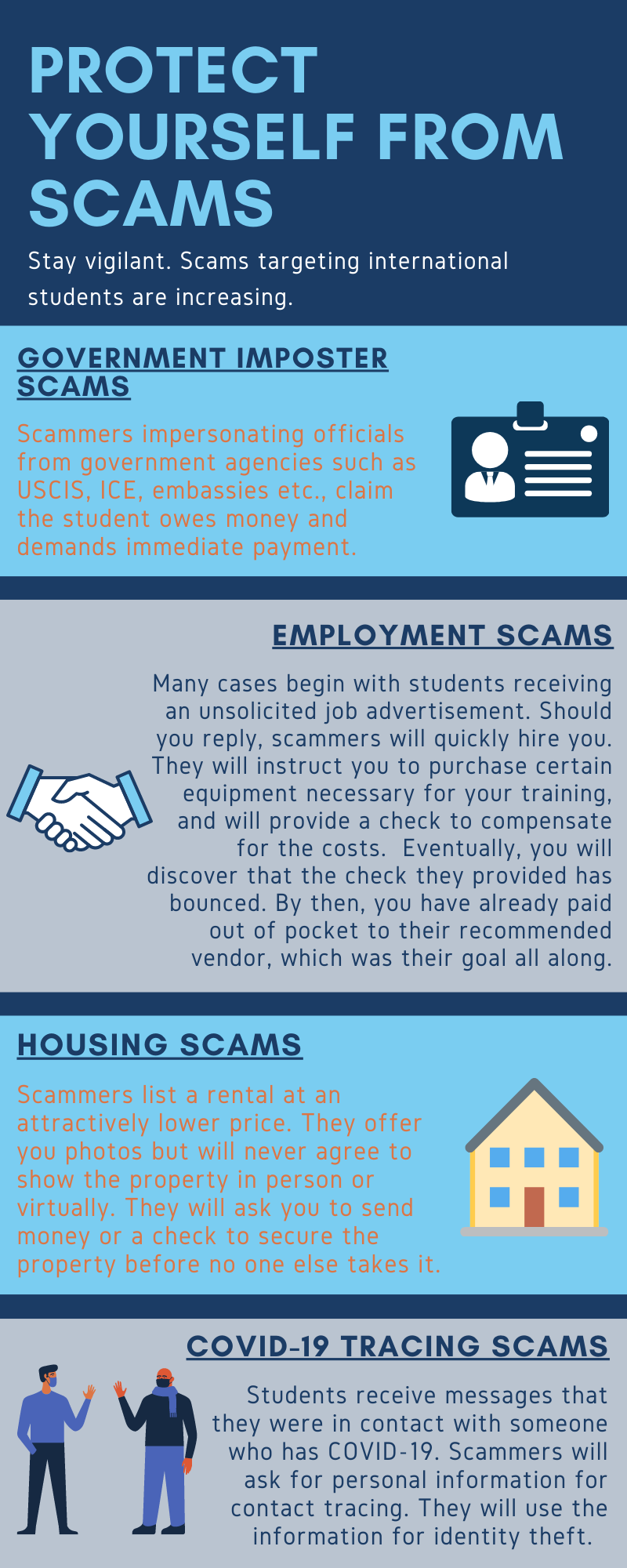
Scammers contact international students in different ways. They usually make intimidating calls or send emails. Be familiar with their tactics and how you can avoid them.
Case 1: A scam reported from Metropolitan Police Department
A Chinese student was scammed for a fake job posting. The suspect promised her a job and sent her a check for $2,000. Then the suspect asked the student to send back portion of the money. Several days later, the suspect’s check was bounced.
Case 2: A scam reported from the Department of Homeland Security Office of Inspector General. Please see the press release for further details.
Here are some details on the scam tactic: “The perpetrators of the scam represent themselves as employees with “U.S. Immigration” or other government entities. They alter caller ID systems to make it appear that the call is coming from the DHS HQ Operator number (202-282-8000) or the DHS Civil Rights and Civil Liberties (CRCL) number (202-401-1474). The scammers obtain or verify personally identifiable information from their victims through various tactics, including by telling individuals that they are the victims of identity theft. The scammers also pose as law enforcement or immigration officials and threaten victims with arrest unless they make payments to the scammers using a variety of methods. The scammers have also emailed victims from email addresses ending in “uscis.org.” Many of the scammers reportedly have pronounced accents.”
Scammer Tactics
- Call and demand immediate payment. Give students no time to think over or question.
- Use intimidating tone in phone calls and emails.
- Make students think that they are in trouble such as possible arrest and deportation.
- Asks for personal information such as social security number, credit card number, bank account information etc.
- Request payment through prepaid cards.
How to Protect Yourself
- Do not share your personal and financial information over the phone or via email.
- Do not send money or gift cards when someone asks you to do so over the phone or email.
- If you receive a suspicious call, end conversation immediately. Always keep in mind: No government entity will call you.
- Do not accept offers immediately if you think it is too good to be true.
- Do not open any suspicious hyperlinks or emails from unknown senders.
- Contact ISSS if you are uncertain or if you have any questions.
Keeping our students safe, digitally
-
Verify the Sender: Always inspect the sender's email address carefully. Look for slight misspellings, odd domain names, or unfamiliar email patterns. Legitimate organizations do not use public domains (e.g., Gmail, Yahoo) for official communication.
-
Be Wary of Urgent Requests: Emails demanding immediate action such as resetting a password, transferring funds, or updating account information should raise a red flag. Phishers rely on urgency to bypass rational scrutiny.
-
Do Not Click Unknown Links or Download Attachments: Hover over hyperlinks to preview the URL before clicking. If it looks suspicious or redirects to an unexpected domain, do not engage. Attachments from unknown sources can carry ransomware or keyloggers.
-
Look for Generic Greetings and Grammar Errors: Phishing emails often use impersonal salutations like "Dear user" and may contain spelling and grammar mistakes. Professional organizations rarely make such errors.
-
Report Suspicious Emails Immediately: Use your organization’s designated reporting method (e.g., [email protected]
or the "Report Phishing" button in Outlook). Do not forward it to others. -
Never Share Credentials via Email: No legitimate IT or support team will ask for your username and password over email. If in doubt, contact the sender via an official channel, not by replying to the email. CUA Service Desk will NEVER request nor accept your password
-
Enable Multi-Factor Authentication (MFA): This is your second line of defense in the event that credentials are compromised.
Remember: cybersecurity is a shared responsibility. Stay vigilant, verify before you trust, and when in doubt, report it out.
Please notify [email protected] if you suspect you have received one of these emails. If you opened one of these and clicked any links or downloads please reset your password immediately!
Remember, when creating passwords, always use unique passwords on every site.
For more information about phishing and how to protect against it, visit our informational page.
What Should I Do If I Get Scammed?
If you think you are the target of a scam, please contact OIS at 202-319-5618 or email us at [email protected]
If you think you have been the victim of a scam, call Public Safety Office immediately at 202-319-5111.